
This page will give you the skinny on how to best use the CrowdSource Rescue (CSR) platform to help those in need during a hurricane or natural disaster!
It'll teach you how to use Zello (our communications app), work with the CrowdSource Rescue platform, and help during a hurricane!
Need some more help? You can join our Facebook group or ask for a dispatcher on Zello to help give you a walk-through.
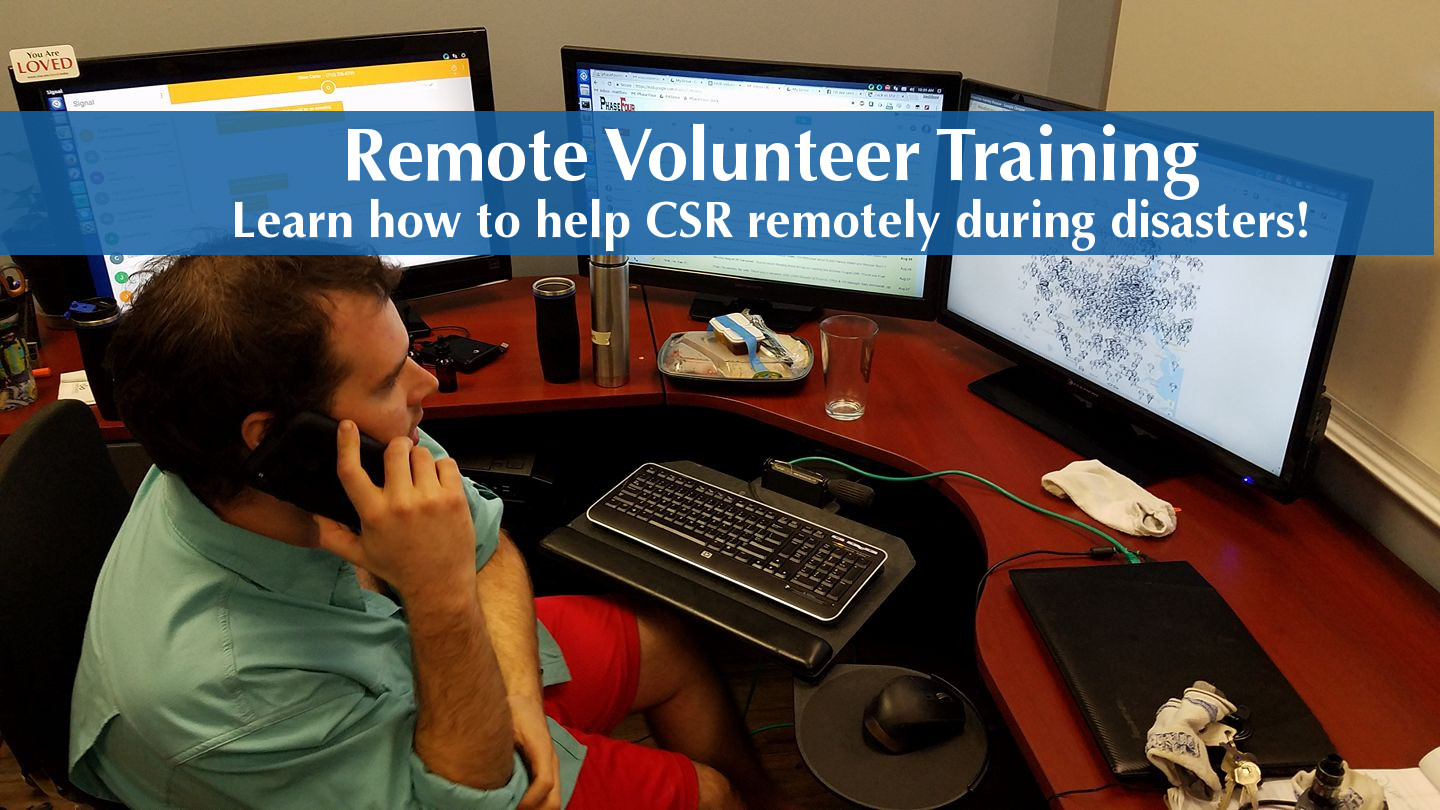
CrowdSource Rescue is a Houston-based non-profit that has helped rescue over 50,000 people by connecting them to nearby rescuers during natural disasters.
We assist volunteer groups, search-and-rescue (SAR) teams, and regular neighbors in assisting during the respone phase of natural disasters, by gathering rescue requests, hosting trainings, providing micro-grants, and various technological/communications assets, while working alongside various first responder agencies.
During disasters, we host the CrowdSource Rescue platform, in order to help guide rescuers and manage requests for assistance.
We are bunch of self-starters and go-getters; it takes a special sort of person to run head first into a hurricane! And we LOVE our role!
We are not a traditional disaster response group, instead we are primarily a supporting agency, that helps existing SAR teams or individuals do their work better.
We are not a replacement for 911, nor are we an emergency management agency. We do however work with them! We have close partnerships with several regional OEMs, the US Coast Guard, FEMA USAR, and a host of other first responder agencies!
Take Away: CrowdSource Rescue exists to help SAR teams/volunteers to rescue disaster-stricken residents. We do that by being "air-traffic-control" during disasters, and, as a remote volunteer, that's where YOU come in!
Zello is a push-to-talk communications app, used by 1000s of search-and-rescue teams, emergency management agencies, and public safety agencies worldwide. CrowdSource Rescue uses it to coordinate multiple volunteers at once, during an active crisis.
Zello is a mobile app that will let you connect to dispatchers, get information on cases or changing conditions, and get dispatched. It may seem overwhelming, but don't worry, once you download it, the rest is easy!
You probably won't need it much as a remote volunteer, but it is helpful to have, to know what's going on during the disaster!
Download it from either the Android store or the Apple store. After you download it, you'll be able to make a Zello account.
Our main "channel" is your one stop shop. It's how you'll interact with CrowdSource Rescue in the field.
There are two options to connect with our channel:
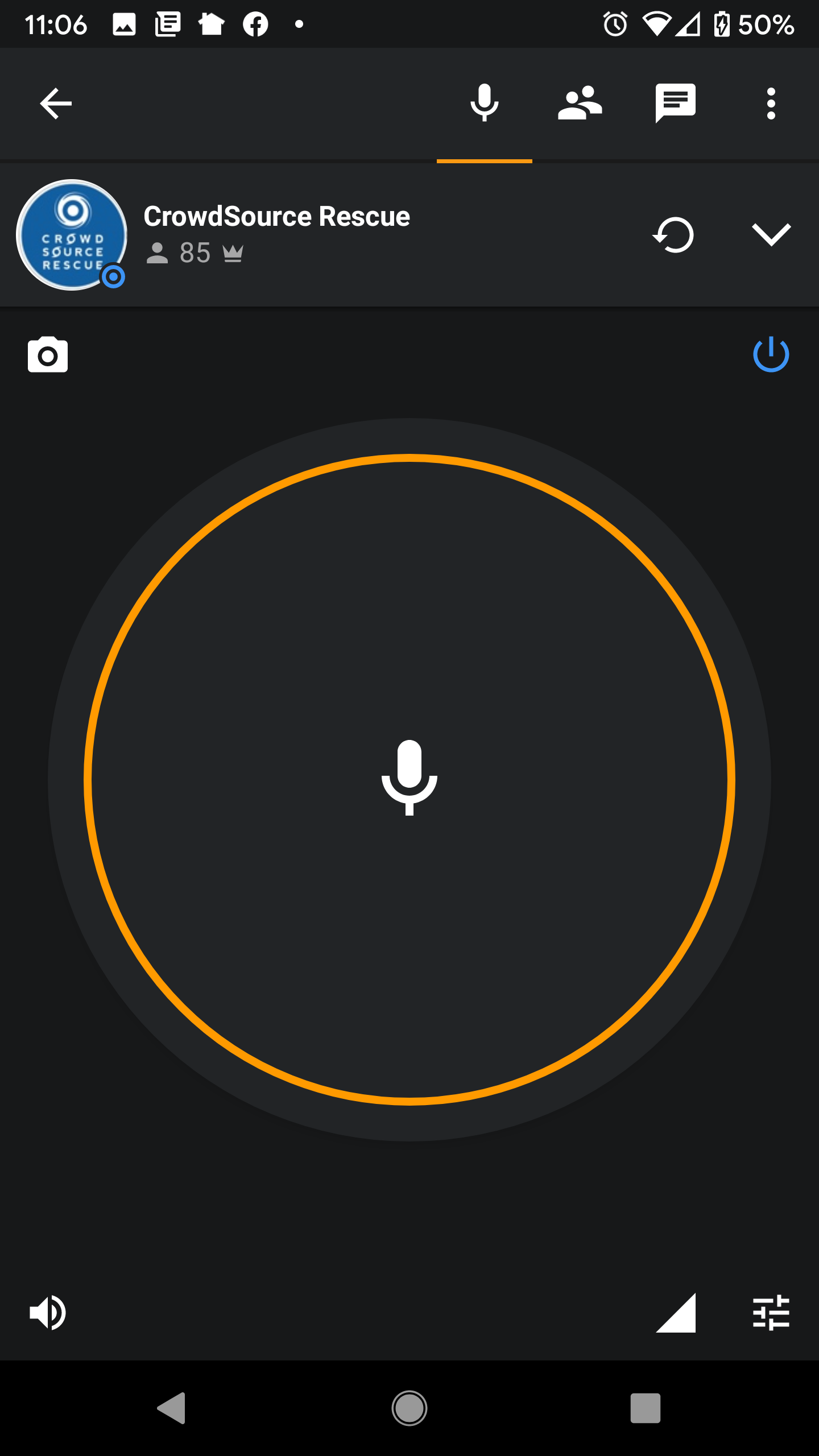
Screenshot of the CSR Zello Channel. Pressing and holding the mic button will allow you to talk in the channel.
If you followed the steps above (downloading Zello and getting connected to the channel), you should see a big yellow circle with a microphone in the middle!
Press AND HOLD that mic button, say your name, and that you're a new user following along on the CSR training!
Wait a couple seconds, and you'll probably hear a response!
After that, CONGRATULATIONS, the hardest part is done! Give yourself a pat on the back!
It happens. Go over to our Facebook group and make a post so someone can help. But try to follow the steps above again first. Having Zello downloaded and working is essential to working with CSR.
Now that you've got Zello, it's time to familiarize self with the CrowdSource Rescue platform! You'll need to briefly familiarize yourself with the Incident Page, which is where it's all happening!
You're going to go to the Case Map, view individual tickets in your area, and then report back to Zello with those ticket numbers and your User ID.
Read below so you can learn how!
Your one-stop hurricane shop is at crowdsourcerescue.org/hurricanes.
Before doing anything: you'll need to login to the CrowdSource Rescue platform. We require a login to help protect privacy.
You can click "login", in the top right corner of crowdsourcerescue.org/hurricanes. If you can't find it in the top right corner, you can also click here.
After logging in, go to crowdsourcerescue.org/hurricanes and click the orange Rescue Map button, which will let you view tickets, e.g. the individual cases needing assistance.
Tickets are viewable on the Case Map. Each ticket is represented by an icon, signifying the type of assistance needed.
Zoom in on the individual tickets near you (or in an area you'd like to help in), to view the details of an individual case.
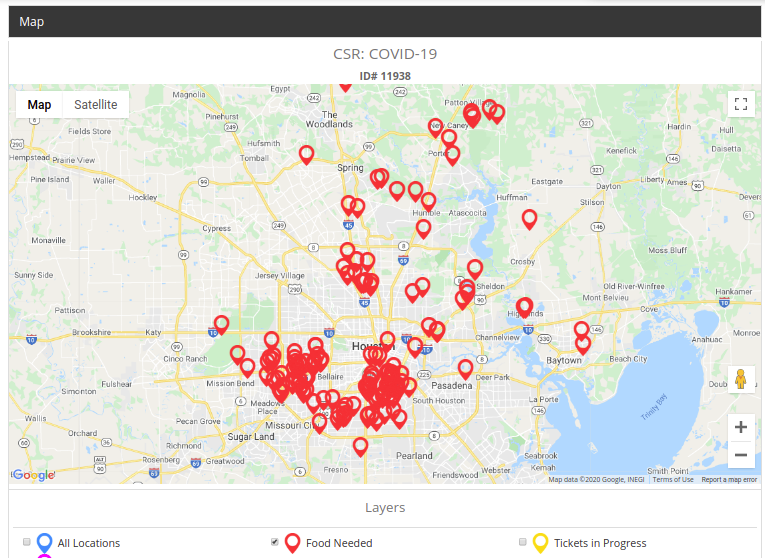
Case map, with each red icon  representing an individual ticket.
While on the Rescue Map, clicking on individual icons will bring up details about a particular case.
IMPORTANT: We often only let approved rescuers view exact locations or phone numbers. If you aren't pre-approved, you may not be able to see certain information.
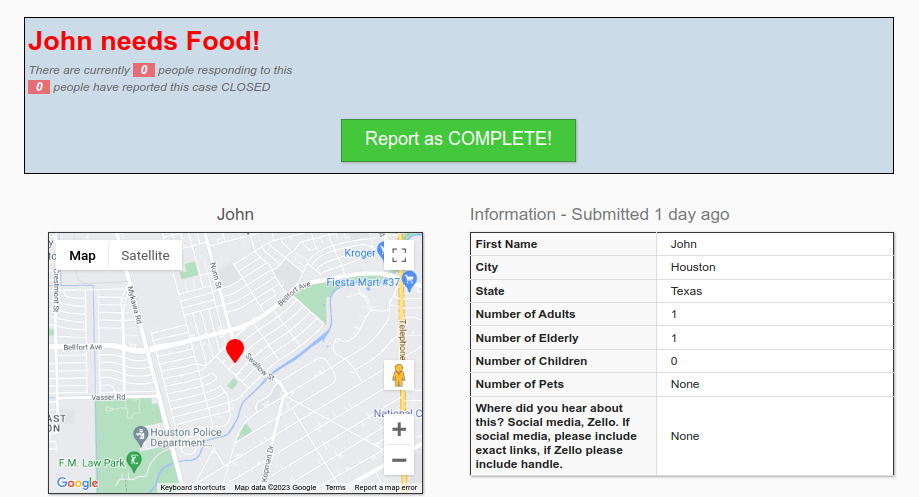
Individual ticket page. If you think you can help, take note of the Ticket ID # at the top.
From the "front" page (e.g. crowdsourcerescue.org/hurricanes), you'll see a large red button saying I Need Help.
Clicking this button we'll bring up the assistance request form, where you'll be able to fill out a rescue request on someone's behalf. After filling out the request, it will be vetted by dispatchers, who will then place it on the Rescue Map.
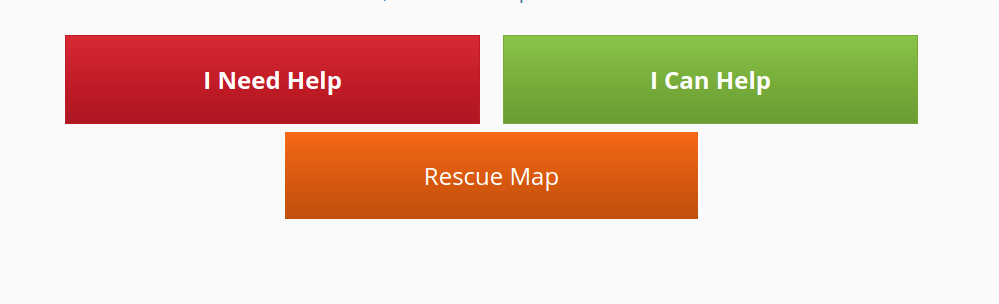
Main buttons on the front page of crowdsourcerescue.org/hurricanes, clicking on the I Need Help button, will bring up the assistance request form.
As a remote volunteer, your job is simple and single-minded: find people who need help! You are CrowdSource Rescue's online eyes-and-ears, the digital "boots on the ground", who help shape the map and point responders to the right location.
This looks a couple different ways: working on social media, answering or making calls, and monitoring ever-changing conditions.
It's about the most excitement you can have, without ever leaving your couch.
CSR will often get hundreds, if not thousands of individual comments or tweets, on it's Facebook and Twitter accounts. It's impossible to respond to them all, especially in the heat of battle.
If you see someone asking for assistance or looking to volunteer, just copy and paste this message:
Please make an assistance request at crowdsourcerescue.org/hurricanes, from there your request will be shared with a network of volunteers.
Same basic idea if you see someone looking to help rescue:
You can help respond to rescue requests by going to crowdsourcerescue.org/hurricanes! Thank you!
Not so hard, right? Some of this stuff isn't rocket science 😉!
Feel free to give the message your own spin - as long as the link is in there, go with whatever sounds natural. For liability/safety purposes, make sure it's known we will TRY, but we can't guarantee results, and that in emergencies they should always call 911 FIRST.
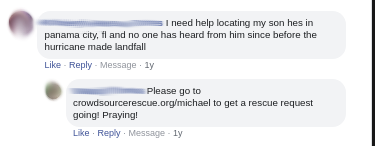
Example comment, with a mom looking for her son.... He was found later that day FYI!
It is important that rescue requests are as close to the source as possible. That means in a perfect world, the person who is requesting a rescue is the one entering the request; they'll know the details of their case the best.
There are two execeptions to this:
Again, we want to make sure we are as close to the source as possible. Often friend or family members, may not have the full information, and things can often get lost in translation on social media. But if we're unable to get in contact with the people needing rescue, it's still important to take the request, while noting it's not from a primary source!
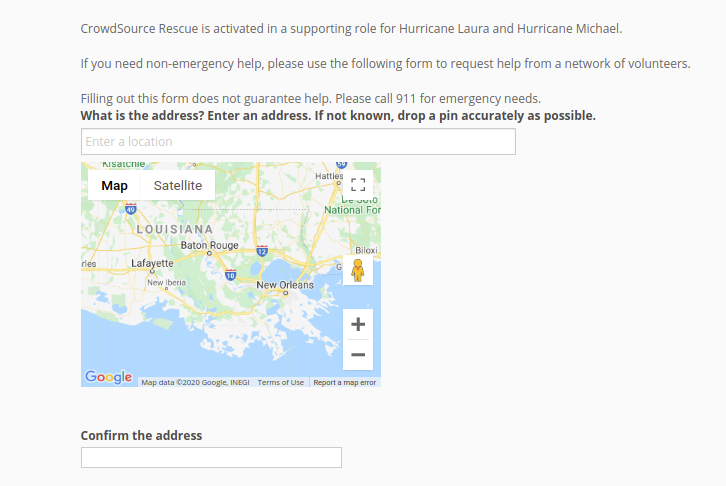
Example of the rescue request form. Found on crowdsourcerescue.org/hurricanes, by clicking the red I Need Help button.
CrowdSource Rescue works with emergency management agencies during dire times; it's often when 911 is overwhelmed, or offline entirely. That means many people turn to social media for both life-threatening and non-life-threatening emergencies.
As a remote volunteer, it's YOUR job to make sure to connect with those folks. Similar to above, it's all about getting the word out there!
Sharing some form of this message across community groups, Nextdoor, on your own social media, in news articles, etc, will help us connect with people who need help:
CrowdSource Rescue is a Texas non-profit, currently assisting with Hurricane Marco/Laura operations. To get help or to sign-up as a rescuer, go to crowdsourcerescue.org/hurricanes. Filling out an assistance will connect you with a network of civilian volunteers, you can also volunteer as a rescuer.
Really go to town with it - spam it! The more people who see it, the more people we can help!
We often need help calling disaster victims, in order to confirm details or make contact with them about their case. We send automated texts out periodically, but sometimes calls are necessary.
If that's the case, we'll send out an e-mail to remote volunteers on cases to call. You'll receive a quick script (we try to keep calls brief) and the ability to call cases via the platform, recording their answers.
We use Twilio, which means your number isn't shared with rescue cases. Makes everything easier and safer that way!
You'll be able to call directly from the CSR Platform
Sometimes people accidentally press the mic button. Sometimes there are trolls. Things happen.
A moderator in the Zello channel is able to mute people, block them, and assist with various needs. If you're interested in moderating, hang out in the Zello channel for a bit, start learning the ropes, and offer to moderate once you think you've got the hang of it!
Every now and then, the Zello channel itself will become inundated with rescue requests, in which case it's all hands on deck for entering request!
It's also the first step to becoming a full-fledged dispatcher!
This is the most-requested role. And well... not quite yet.
Dispatchers are the core of CSR's operation and the most important role. They work with rescuers, vet tickets, and run "air-traffic-control".
It's one of the most rewarding jobs, but it's also the most demanding. It's long shifts (sometimes 12+ hours), requires incredible multi-tasking, has tons of pressure, and is dealing with literal life-or-death situations.
Our current dispatchers have gone through numerous hurricanes and know the ropes inside and out of disasters. If it's something you're really serious about, and you think you have what it takes, reach out to us after the incident and we'll start plugging you in if we think you're a good fit.
Secret Tip: If you impress Lor or Beth (our lead dispatchers), and make their lives easier, that's the best way to become a dispatcher 😉.
Consider yourself successfuly trained in CrowdSource Rescue 101! You learned how to download Zello and how to use the CSR platform for hurricane assistance!
Still a little confused? Don't worry, it'll make sense after the first couple times, particularily as you get your feet wet (pardon the pun).
Also, remember the dispatch team is your friend! If you need a little walkthrough, then jump on Zello and say so! We're all new at some point!
Thanks again for volunteering, there are a whole lot of neighbors that TRULY appreciate your service and willing spirit.